







Common CI Flexo Printing Problems and How to Improve Print Quality
In the flexible packaging industry, consistent print quality is essential for maintaining brand image, meeting customer expectations, and reducing production costs. However, even advanced flexographic printing equipment can experience printing defects when ink properties, substrate conditions, machine settings, and operating procedures are not properly controlled.
For manufacturers producing food packaging, plastic bags, consumer goods packaging, and industrial films, identifying the causes of printing defects is an important part of maintaining efficient production. A modern CI Flexo Printing Machine can provide stable substrate support and precise multi-color printing, but achieving consistent results also depends on correct process settings and regular equipment maintenance.
This article explores common flexographic printing defects, explains their potential causes, and outlines practical methods for improving print quality on flexible packaging materials.
Table of Contents
Toggle1. Defectos comunes en la impresión flexográfica
La impresión flexográfica comprende varios procesos interrelacionados, como la transferencia de tinta, el contacto de la plancha, el transporte del sustrato, el registro de colores y el secado. Un problema en cualquiera de estas etapas puede afectar al resultado final.
Comprender las características de los defectos más habituales ayuda a los operarios a identificar las posibles causas y aplicar medidas correctivas de manera más eficiente.
1.1 Color Registration Errors
Color registration is one of the most important quality indicators in multi-color packaging printing. When different colors do not align correctly, the printed image may show colored edges, blurred text, or visible gaps between overlapping colors.
Common causes include:
- Unstable web tension during production
- Incorrect registration settings
- Changes in substrate dimensions caused by temperature or tension
- Improper plate mounting
- Mechanical vibration or inconsistent drive synchronization
How to improve registration accuracy:
Operators should first inspect registration marks and determine whether the deviation occurs consistently or changes during production. Check the web tension settings, plate mounting accuracy, and printing unit synchronization before adjusting registration parameters.
Automatic register control can help detect and correct color alignment deviations during production. On a properly configured CI Flexographic Printing Machine, stable substrate support around the central impression cylinder can also help maintain more consistent positioning as the material passes through multiple printing stations.

1.2 Uneven Ink Coverage
Uneven ink coverage can appear as inconsistent color density, patchy solid areas, or visible differences between sections of the printed material. These defects may reduce packaging quality and make colors appear different from the approved sample.
Potential causes include:
- Incorrect anilox roller specifications
- Damaged or contaminated anilox cells
- Inconsistent ink viscosity
- Uneven printing pressure
- Poor ink circulation
- Incorrect plate or substrate contact
Recommended solutions:
Check the anilox roller for contamination, wear, or damage. Verify that its specifications match the ink coverage requirements and printing application. Inspect the doctor blade system and confirm that ink is being supplied consistently.
Ink viscosity should be measured and maintained within the range recommended for the ink system and operating conditions. Printing pressure should also be adjusted carefully, because excessive pressure can cause image distortion without necessarily improving ink coverage.
A systematic approach to flexo printing quality control helps distinguish ink-related problems from mechanical or substrate-related issues.

Anilox Roller
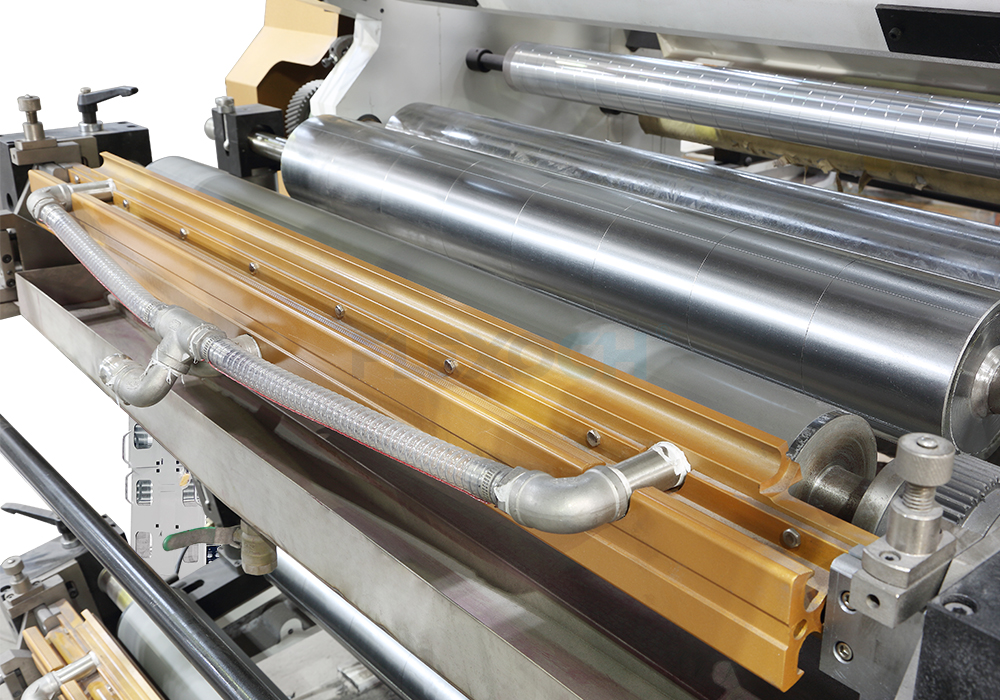
Chamber Doctor Blade
1.3 Ghosting and Double Images
Ghosting occurs when unwanted duplicate images or faint shadows appear alongside the intended printed design. It can be especially noticeable in solid colors, repeated patterns, and areas containing fine details.
Possible causes include inconsistent ink transfer, excessive printing pressure, poor ink distribution, mechanical vibration, or problems with plate and roller conditions.
To troubleshoot ghosting, operators should inspect the printing plate, anilox roller, and doctor blade system. Check whether the defect is limited to a particular color station or appears across several stations.
Reducing excessive plate pressure, improving ink transfer consistency, and checking mechanical stability can help resolve the issue. If ghosting occurs only at higher speeds, evaluate ink behavior, drying performance, and machine vibration under the affected operating conditions.
1.4 Pinholes and Missing Print Areas
Pinholes appear as small unprinted spots within solid color areas. Missing print areas can make graphics look incomplete and reduce the visual quality of the finished package.
These defects may result from contamination, poor substrate surface properties, inadequate ink transfer, unsuitable ink characteristics, or damaged printing plates.
Practical corrective measures include cleaning the substrate and printing components, inspecting the plate surface, and verifying that the ink is compatible with the material. Where necessary, evaluate surface treatment requirements and confirm that the substrate has suitable surface properties for the selected ink.
For plastic films, surface treatment and ink adhesion testing may be particularly important. The appropriate treatment level depends on the film, ink system, and downstream packaging process.
1.5 Smearing and Incomplete Drying
Smearing occurs when wet ink is disturbed before it has sufficiently dried or set. The result may include blurred graphics, ink transfer to rollers, or unwanted marks on adjacent surfaces.
Potential causes include insufficient drying capacity, excessive ink application, unsuitable drying settings, high production speed, or poor compatibility between the ink and substrate.
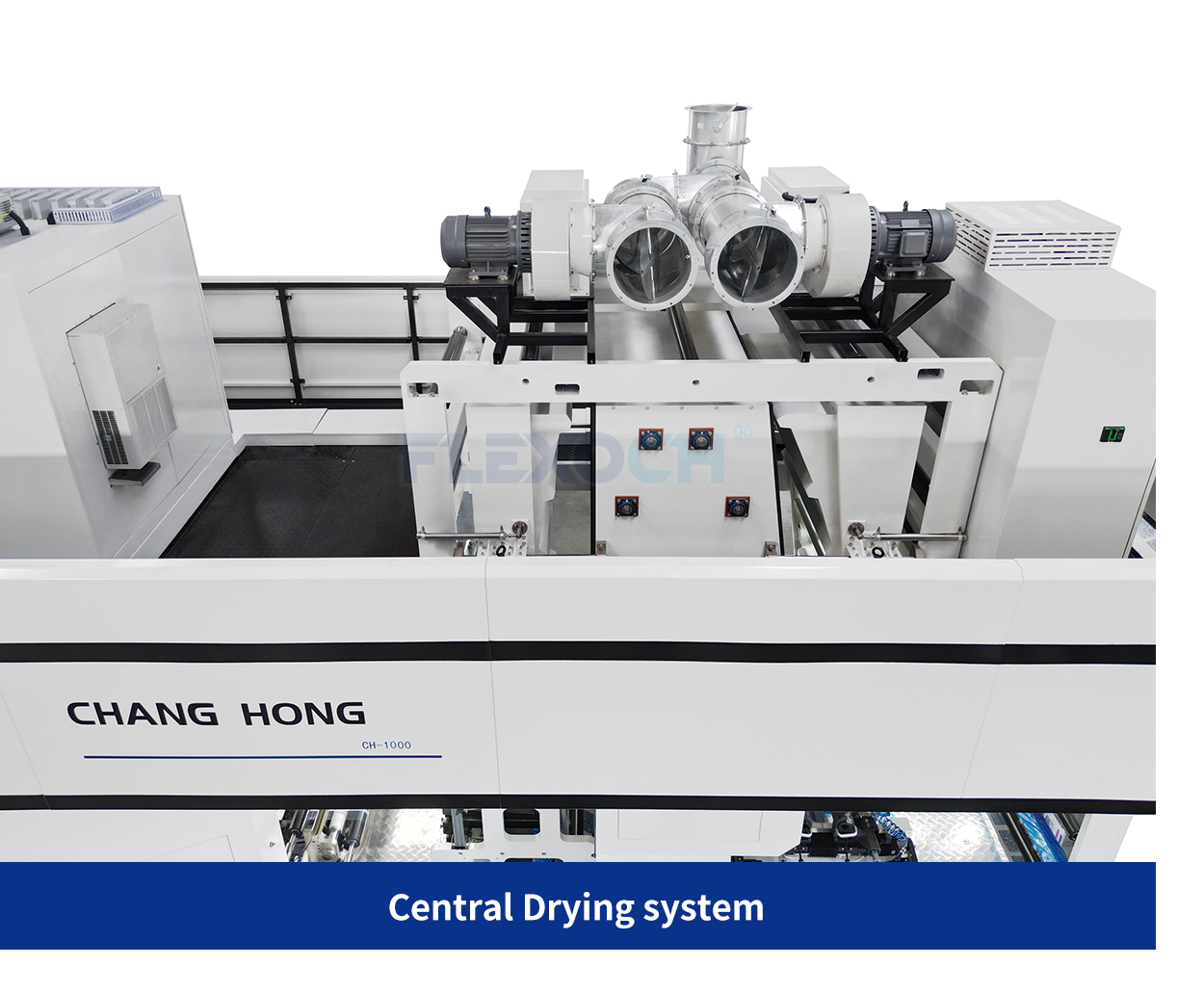
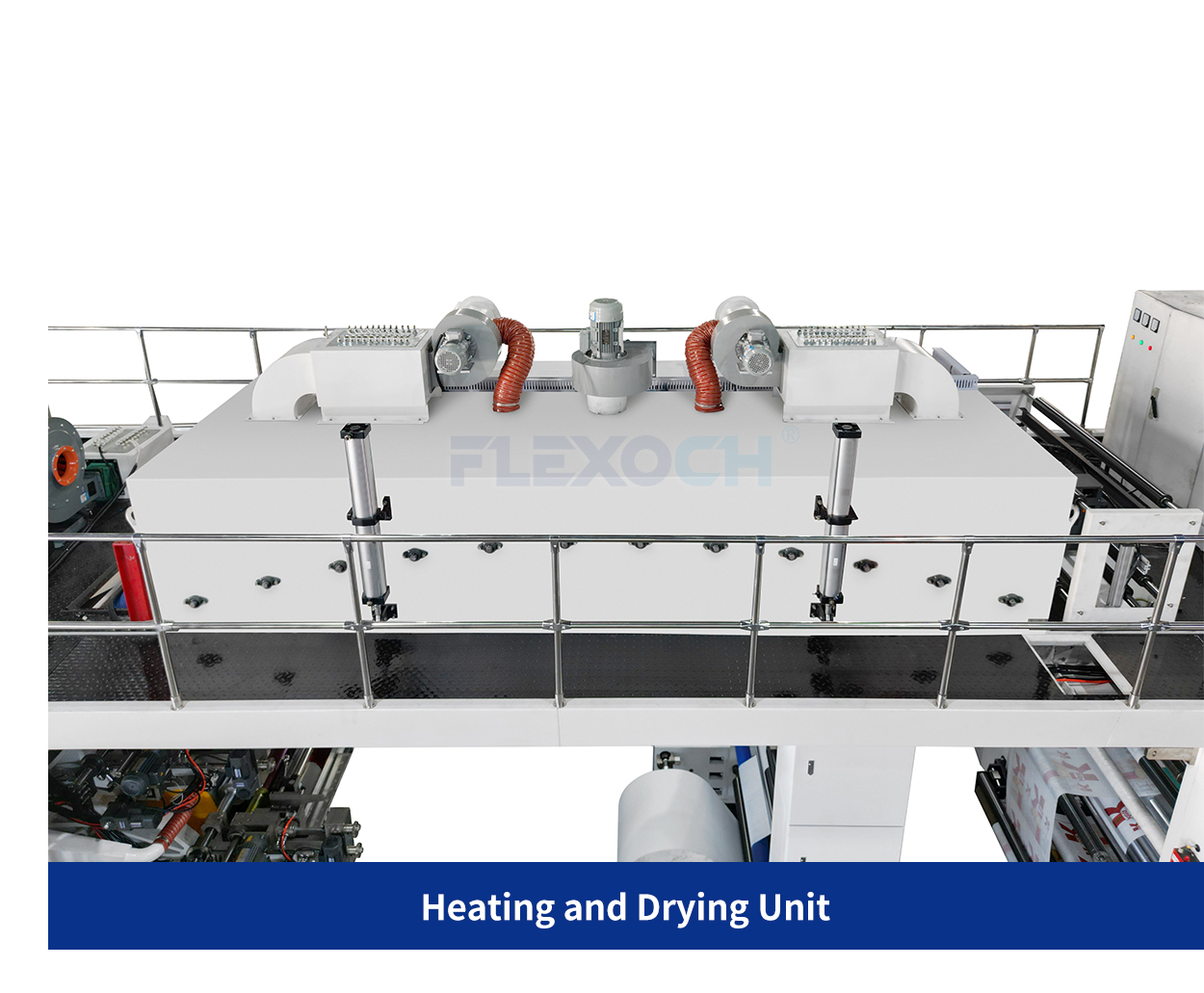
To improve drying performance, verify the recommended temperature, airflow, and drying conditions for the specific ink system. Check whether the machine is operating within the effective capacity of its drying equipment.
Increasing temperature alone is not always the correct solution. Excessive heat can deform sensitive films, affect dimensional stability, or create other quality problems. Drying settings should therefore be adjusted according to substrate characteristics, ink requirements, and actual production conditions.
2. How to Improve Color Registration in Flexo Printing
Accurate color registration in flexo printing requires coordinated control of substrate movement, printing cylinders, and operating conditions. Even a small change in web tension or material dimensions can affect the alignment of multiple colors.
The following practices can help improve registration consistency.
Maintain Stable Web Tension
Web tension should be controlled throughout unwinding, printing, and rewinding. Excessive tension can stretch flexible films, while insufficient tension may lead to wrinkles, unstable tracking, or inconsistent material transport.
Closed-loop tension control systems monitor operating conditions and adjust tension to help maintain stable web movement.
Check Plate Mounting and Cylinder Conditions
Incorrect plate positioning or uneven mounting can introduce registration errors before production begins. Inspect plate mounting, cylinder cleanliness, and the condition of relevant mechanical components during setup.
Use Automatic Register Control Where Appropriate
Automatic register control can reduce the need for repeated manual corrections and help maintain color alignment during longer production runs.
However, automation cannot eliminate every source of registration error. Correct initial setup, stable materials, and appropriate operating parameters remain essential.
Monitor Temperature and Production Speed
Temperature changes can affect some film substrates and their dimensional stability. In addition, registration performance may change as production speed increases.
Operators should verify registration at startup, during speed changes, and throughout longer runs instead of relying exclusively on initial setup results.

3. The Role of Ink Management in Print Quality
Ink properties directly influence color density, transfer performance, drying, and adhesion. Poor ink management can therefore create several defects simultaneously.

A structured ink management procedure should include:
- Measuring viscosity at appropriate intervals
- Maintaining consistent ink circulation
- Checking ink contamination and foaming
- Inspecting doctor blades and ink chambers
- Confirming compatibility between ink and substrate
- Verifying drying conditions and adhesion performance
The correct viscosity range depends on the ink formulation, printing speed, substrate, and environmental conditions. Operators should follow the ink supplier’s recommendations rather than applying one universal setting to every job.
For manufacturers using water-based or solvent-based inks, consistent measurement and documented adjustments can make troubleshooting more repeatable.
4. How Machine Maintenance Supports Consistent Printing
Regular maintenance helps prevent defects caused by worn components, contamination, and unstable mechanical performance.
A preventive maintenance program for a CI Flexo Printing Machine should cover the central impression cylinder, printing cylinders, anilox rollers, doctor blade systems, web guiding components, tension control devices, and drying equipment.
Important maintenance practices include:
Clean printing components regularly. Ink residue and contamination can affect ink transfer, roller performance, and print consistency.
Inspect anilox rollers. Blocked cells or surface damage can cause uneven ink coverage and color variation.
Check doctor blades. Worn or incorrectly installed blades may lead to streaking, excess ink, or inconsistent metering.
Verify web guiding and tension systems. Incorrect sensor readings or unstable guiding performance can contribute to wrinkles and registration problems.
Maintain drying equipment. Inspect airflow, temperature controls, and ventilation according to the equipment manufacturer’s maintenance requirements.
Record recurring defects. Document the affected material, ink, machine settings, production speed, and corrective actions. These records help operators identify recurring patterns and avoid repeated troubleshooting.
5. Why the Right Machine Configuration Matters
Although operating procedures are important, machine configuration also affects achievable print quality. Manufacturers should select equipment according to the substrates, printing widths, color requirements, ink systems, and production conditions involved in their applications.
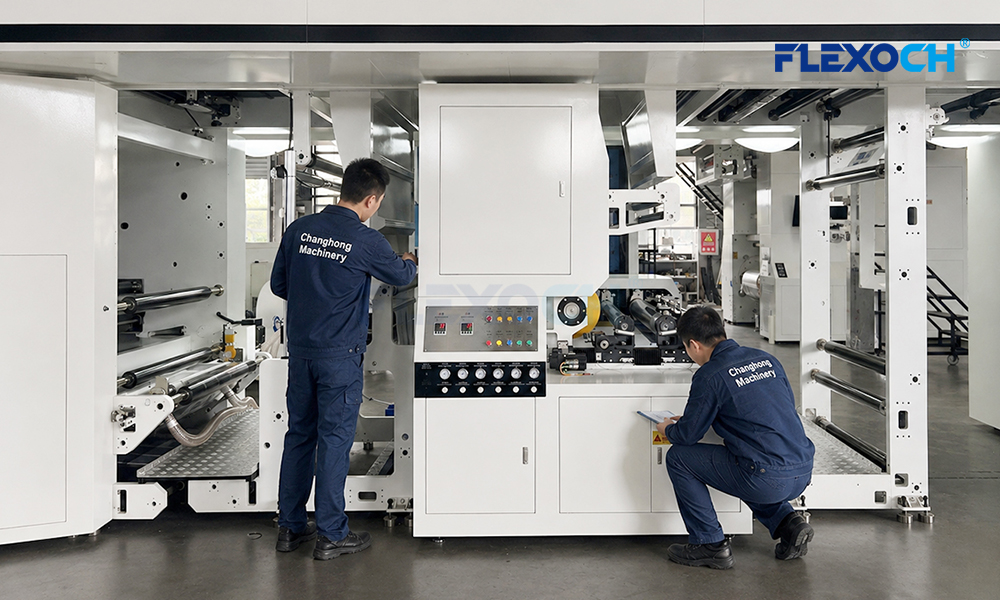
A modern Flexo CI Printing Machine uses a central impression cylinder to support the substrate during multi-color printing. This arrangement can help maintain stable web positioning, particularly when printing on flexible films that are sensitive to tension changes.
Depending on the production requirements, relevant features may include:
- Closed-loop web tension control
- Automatic register control
- Independent servo-driven printing units
- Accurate ink metering systems
- Suitable drying and cooling capacity
- Reliable web guiding systems
- Accessible maintenance points
A properly specified CI Flexo Packaging Printing Machine should be evaluated as a complete production system rather than by maximum speed alone. The interaction between mechanical design, automation, ink handling, and drying performance determines how effectively the equipment meets a manufacturer’s quality requirements.
Video Introduction
6. A Practical Troubleshooting Checklist for Packaging Printers
When a printing defect appears, changing multiple settings simultaneously can make the original cause more difficult to identify. A step-by-step troubleshooting process is usually more effective.
Step 1: Identify the defect. Determine whether the issue involves registration, ink coverage, ghosting, pinholes, smearing, or another print quality problem.
Step 2: Locate the affected printing station. Check whether the defect appears in one color, several colors, or across the entire printed image.
Step 3: Review the operating conditions. Record production speed, web tension, ink viscosity, drying settings, and substrate details.
Step 4: Inspect relevant components. Check plates, anilox rollers, doctor blades, web guiding devices, and other components associated with the defect.
Step 5: Adjust one variable at a time. Apply a controlled correction and evaluate the result before making further changes.
Step 6: Document the solution. Record the successful adjustment and use it as a reference for similar jobs.
This process supports more consistent flexo printing quality control and can reduce unnecessary downtime and material waste.
7. FLEXOCH: Supporting Reliable Flexible Packaging Printing
For packaging manufacturers, print quality depends on the combination of machine capability, process management, material selection, and operator expertise.
FLEXOCH focuses on flexographic printing solutions designed for modern packaging production. Depending on the selected configuration, features such as servo drive systems, web tension control, automatic register control, and integrated drying systems can support stable printing and efficient roll-to-roll production.

When evaluating a new CI Flexo Printing Machine, manufacturers should consider their actual substrate requirements, expected print quality, production volume, and automation needs. Matching the machine configuration to these factors provides a stronger foundation for consistent results.
FLEXOCH encourages packaging producers to assess not only equipment specifications but also process stability, maintenance requirements, and the technical support needed for long-term operation.
Conclusion
Common flexographic printing defects—including registration errors, uneven ink coverage, ghosting, pinholes, and incomplete drying—can result from different combinations of mechanical, material, and process-related factors.
Improving print quality requires a systematic approach: maintain stable web tension, manage ink properties, inspect printing components, optimize drying conditions, and document troubleshooting results. The right equipment configuration and appropriate automation can further support consistent production.
For manufacturers seeking better flexible packaging printing quality, combining reliable machinery with disciplined process control is essential. With suitable equipment selection and effective quality management, FLEXOCH aims to help packaging producers pursue more consistent printing performance, improved production efficiency, and dependable results across a wide range of applications.